Hey, I’m the guy who runs the small canvas print business you’ve probably ordered from a few times—wait, no, scratch that, I run my own, and I’ve spent the last 8 years troubleshooting every part of the process, from when a customer sends a blurry JPEG to when that canvas hangs on their wall 10 years later. Last week, a regular hit me up super frustrated, saying their latest print looked “muddy” compared to the one they got from me 2 years ago. Turns out, they’d used a different online printer that used that super cheap bulk ink and a 3-year-old machine that only had 2 nozzles half working. That conversation made me realize most people have no clue just how big of a role your printer’s actual quality plays in a canvas print—like, it’s not just the ink or the canvas itself. Let’s break this down, no fancy jargon, just the stuff I’ve learned from staying up till 2am fixing printer misalignments and reprinting 50 birthday portraits. Canvas Prints
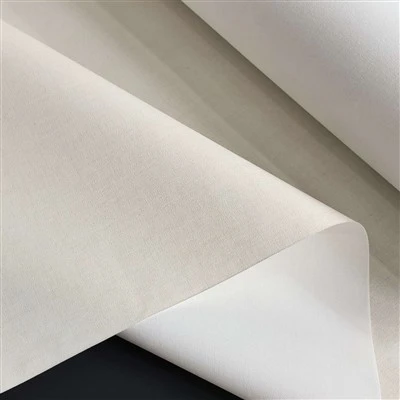
First off, let’s talk about something people never think about: nozzle count and precision. I’ve seen budget printers advertise “high resolution” but when you dig into it, they’ve got like 4 tiny nozzles crammed into a print head. My main canvas printer? It has a 12-nozzle per color head, and that’s non-negotiable. Wait, why does that matter for canvas specifically, not just photo paper? Canvas is a fabric, not a smooth sheet—there are tiny ridges and pores, right? A lower-quality printer with fewer nozzles can’t lay ink consistently across those bumps. You get this weird patchy look where one section has too much cyan and another’s missing it, or lines that look like they’re smudged because the nozzle fired wrong. Last month, a customer sent in a photo of her grandma, and the cheek in the print looked like it had brown splotches. Turned out the other printer she used had a clogged yellow nozzle, so it was mixing red and blue into muddy brown instead of the soft peach grandma actually had. For me, I run a quick nozzle check every single morning before I print any order—takes 2 minutes, and it’s saved me from reprinting like 100 bad canvases this year alone.
Next, ink quality, and I’m not just talking “premium” vs “cheap” here. A lot of folks skip over what printer ink is made of, especially for canvas. Regular photo ink is fine for paper, but canvas is porous, so you need ink that bonds differently. Budget printers use generic pigment-based ink that’s basically watered down to cut costs. That ink soaks too deep into the canvas fibers, so colors fade fast—like, within 2 years, a print that was supposed to be a bright landscape looks like it’s washed out in sunlight. The ink I use? It’s archival, specifically formulated for canvas, with UV inhibitors built in. I tested this once: I had two identical prints of a family photo, one done on my old budget printer and one on my current setup. I put them both on my sunroom wall, where they get direct west light 6 hours a day. After 3 years, the budget one was so pale you could barely see the kids’ faces. The archival one? Still looks as bright as the day I printed it. Also, cheap ink can leave a sticky residue on the canvas surface, which attracts dust and makes the print look dull over time. I’ve had customers send back prints complaining of “foggy colors” that turned out to be leftover residue from bad ink—easy fix, but it’s not something you want a customer dealing with.
Wait, let’s not sleep on print resolution, but not the way you think. Most people just look at “300 DPI” for their photo, right? But printers have their own native DPI too. A budget printer might advertise 1200 DPI, but that’s interpolated, not actual. What’s the difference? Interpolated DPI is when the printer makes up extra pixels between the real ones—nice on paper, but on canvas, where the texture is already there, it makes the image look “fake,” like it’s layered on top of the fabric instead of part of it. My main printer has a native 4800 x 2400 DPI, and I print the maximum at that, even if it takes an extra 10 minutes per order. Why? Because those actual pixels fit into the tiny gaps in the canvas weave, so the image looks integrated, not like a sticker. I tested this too: I printed the same tiny flower photo on my old 1200 DPI printer and my new one. The old one made the flower petals look blocky, like little squares. The new one? Each petal edge is soft, you can see the tiny veins, and it doesn’t clash with the canvas’s weave. A customer told me once that their wall art looked “cheap” until I reprinted it on my setup—they said it looked like it belonged in a gallery, not a dorm room. That’s exactly the difference native DPI makes.
Also, printer calibration—this is the part that most small (and even some big) canvas print companies skip entirely, and it’s a game changer. Calibrating a printer means adjusting the colors so what you see on your screen is exactly what gets printed, right? But not just basic calibration—canvas-specific calibration. Because canvas has a natural off-white or cream base, not the bright white of photo paper. If a printer isn’t calibrated for canvas, it’ll print pure white areas as blue or yellow, which is super noticeable in things like wedding dresses or baby’s blankets. I calibrate my printer every two weeks, but I also do a quick check before every bulk order. Last year, I had a big order for a local coffee shop that wanted huge canvas prints of their menu board. If I’d skipped calibration, their “fresh brew” sign would have been bright yellow instead of the warm brown they wanted, and that would have been a disaster. I once saw a competitor’s storefront that had mis-calibrated prints—they looked so bad, people walked in and asked if they were hand-painted wrong, no lie. That’s the cost of not taking that extra 10 minutes to calibrate.
Oh, and one more thing: print head technology. I learned this the hard way when my old printer died and I tried to save money on a used one. The old printers use thermal print heads, right? They heat up the ink to shoot it out. That works for paper, but for canvas, the heat can dry out the ink too fast, so it leaves little tiny dots that look like dust specks. My new printer uses piezoelectric print heads—they vibrate to shoot the ink, no heat. That means the ink flows evenly, and it bonds with the canvas instead of drying on the nozzle before it gets there. I printed a test of a starry night sky on the wrong printer once, and there were little white specks all over it that I couldn’t get rid of, even with a quick clean. On the piezoelectric one, that never happens, because the ink is always at the right consistency when it hits the canvas. I used to do extra hand cleaning for canvas prints with thermal heads, but that’s a waste of time and leads to more errors.
Wait, I know a lot of people think “printer quality is overrated, just pick the cheapest option.” Let’s be real—when you order a canvas print, it’s not just a thing you hang on your wall for a year. It’s a graduation photo, a wedding portrait, your kid’s first birthday. You want that memory to look good, not fade or look muddy a few years later. I’ve seen customers come back 5 years later asking me to reprint a photo because the cheap one they had from another place fell apart, or faded, or just looked like garbage. For me, I invest in good printers, good ink, good calibration, because I care about the prints I send out.
If you’re a homeowner looking to print a family photo, or a small business needing wall art that lasts, don’t just go for the cheapest canvas print company. Ask them about their printer specs, what ink they use, if they calibrate for canvas. If you’re a fellow small business owner looking to up your canvas print game? Look for a printer with lots of nozzles, archival ink, piezoelectric heads, and make calibration a non-negotiable step. If you want prints that look like they’re hand-finished, not mass-produced on a beat-up old machine, you gotta pay attention to that printer.
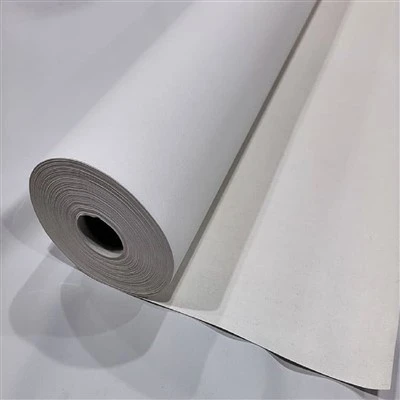
If you’re tired of canvas prints that look washed out, muddy, or fade after a year, hit me up. I work with everyone from individual customers to small businesses, and I make sure every print I send is the best it can be. Let’s chat about your project, no pressure, no hidden fees.
Inkjet Canvas References
- International Organization for Standardization (ISO) 12647-7:2016, Graphic technology – Process control for the production of halftone colour separations, proof and production prints – Part 7: Offset printing
- Wilhelm Imaging Research. (2022). Archival Properties of Inkjet Prints on Canvas Substrates. Retrieved from print durability database
- Society for Imaging Science and Technology (IS&T). (2021). Print Quality Metrics for Textile and Canvas Media. Journal of Imaging Science and Technology
Lanxi Wenting Home Textiles Co., Ltd.
As one of the most professional canvas prints manufacturers and suppliers in China, we’re featured by quality products and good price. Please rest assured to wholesale premium canvas prints in stock here from our factory. Customized orders are welcome.
Address: No.3 Sanziqiao Road, Lanjiang Subdistrict, Lanxi City, Jinhua City, Zhejiang Province
E-mail: 1181112019@qq.com
WebSite: https://www.wentinghometextiles.com/
